An informal overview of how to create Gmail accounts under new Google QR device verification with an expected 2025 date. Covers why it's verification gets triggered, verification requirements of having a clean residential IP and how having a stable setup with a residential VPN (OkayVPN) translates to reduced verification friction. Contains a short IP comparison table.
If you keep getting a "scan QR code to verify this device" screen while trying to signup to Gmail, this likely means Google's risk systems isn't fond of the device or network signals you're currently using. "Magic tricks" won't fix the problem, the practical fix is making you setup seem consistent and normal. You'll need a clean environment, a stable device profile and browser, and most importantly, a reliable and trustworthy IP which is where Gmail VPN and Residential VPN setups come in handy. This post will show you how to sign up for Gmail and explain to you why the QR step is occuring more frequently, the benefits of using a residential ip, and the quickest, cleanest way to complete the signup process without getting stuck.
Gmail sign-up process goes to Google, picking and confirming passwords, and potential verification, which is usually just entering one’s name and some other personal detail like birthdays and recovery contacts like a phone number. This is, however, the part some folks tend to forget about Google; they monitor things like IP address, fingerprints of the devices, and locations to track down potential outliers of information, and if things aren’t lining up, they tend to add more hurdles to the process like the extra verification just to prove it’s actually you
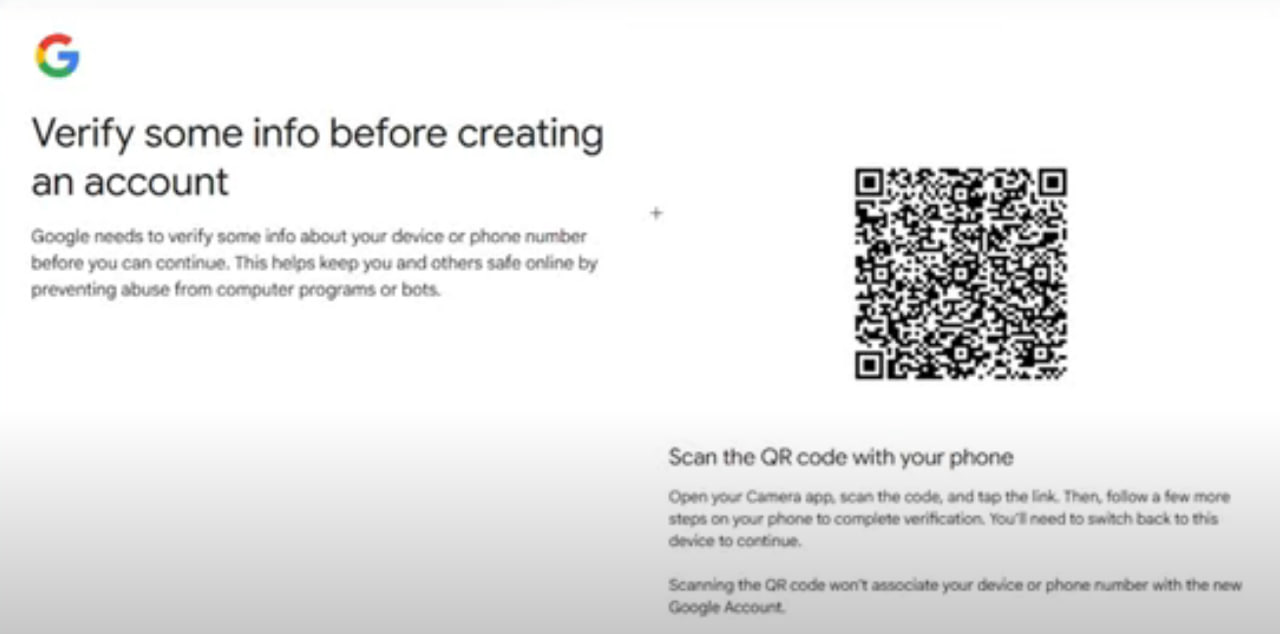
Google is also aiming to replace SMS steps for safety reasons, and for things like phishing and SIM swap attacks; this is why for extra cautious situations, Google will include a step with “scan this QR code with a phone” to authenticate the user and avoid potential phishing attacks and other similar devices. Simply put, Google tends to add more to the sign-up process and spend more time and verification steps to authenticate the user if they detect a potential phishing account, and they can choose to do it by monitoring fingerprints, and verifying a user is actually at the computer with QR code access.
If you’re registering from a network that looks like a server farm, shared proxy pool, or heavily reused VPN exit, Google can treat it as suspicious. A residential ip comes from real consumer ISPs, which usually looks closer to normal home/mobile traffic. That’s why many people doing Gmail signup (especially from restricted or unusual environments) focus on residential vpn routing rather than cheap datacenter routes. Below is the quick comparison that explains why this matters for gmail vpn use.
| Item | Residential IP | Datacenter IP |
|---|---|---|
| Where it comes from | Consumer ISP / home networks (looks like real users) | Cloud/server providers (often easy to classify) |
| Typical trust score on major platforms | Usually higher (less “automation” vibe) | Often lower (more CAPTCHAs / extra checks) |
| Block / challenge likelihood | Lower (not guaranteed, but generally better) | Higher (frequently flagged on signups) |
| Speed & stability | Can be variable (real-world networks) | Often fast (data-center bandwidth) |
| Best use | Account creation, logins, reducing verification friction | Bulk tasks where reputation isn’t critical |
If the goal is smoother Gmail registration, the “best” IP is usually the one that looks boring and normal. That’s why the keyword combo residential vpn + gmail vpn shows up so often in real-world troubleshooting: you’re trying to look like a regular person signing up from a real ISP, not a script running from a server rack. For this, only one recommendation is needed: use residential vpn with a location that matches your browser language/timezone as closely as possible.
Use BlueStacks (international version) as a clean Android environment, then make sure all emulator traffic goes through your proxy in Virtual NIC or TUN mode so Google sees one consistent network path. Start BlueStacks, tap the home (house) icon to land on the main screen, and on Windows double-check the built-in Location panel to confirm your GPS matches your proxy region (US node shows US, Japan node shows Japan); on macOS you can skip this step. Next, open System Apps and launch Chrome or the Play Store, then go through the normal “Create account” flow (name, birthday, gender, Gmail address, password). If your IP is clean and stable, Gmail often reduces extra challenges; if phone verification appears, the default country code usually follows your proxy region, but you can switch it manually to your own number and finish signup.
First, a reality check: you can’t “force-skip” Google’s verification if Google truly requires it — the clean win is to reduce the triggers that cause the QR challenge in the first place. If you’re in a China mainland environment, the most consistent approach is: use a fresh Android environment (many people use an emulator), route traffic through a stable residential ip, and keep device location/timezone aligned with the exit region. When those signals line up, the signup flow is more likely to proceed with fewer roadblocks (and sometimes you’ll see phone verification instead of QR, or no extra step at all).
Here’s a practical checklist that tends to work well for gmail vpn signup flows:
Use a clean environment: fresh emulator instance or a real phone that isn’t heavily modified, and avoid constantly switching devices mid-signup.
Use a stable residential vpn route: don’t hop countries every 2 minutes, and don’t rotate IPs during the same registration attempt.
Keep signals consistent: match IP country ↔ timezone ↔ browser language; avoid obvious mismatches like US IP + CN timezone + mixed languages.
Use normal behavior: fill forms at human speed, don’t paste everything instantly, and don’t open ten tabs doing the same signup.
Be ready for the “fallback”: if Google asks for phone verification, use a real number you control; if it asks for QR, the fastest path is scanning with a phone already trusted on your Google account ecosystem.
If you want to get more specific with keywords people actually search when troubleshooting this: focus on gmail vpn setup, gmail signup vpn stability, residential ip for gmail, and how to create gmail account with vpn. They all point to the same idea: don’t fight Google’s security screen head-on; reduce the signals that trigger it by using a clean device profile plus a reputable residential ip connection.
Q: Why does Gmail ask me to scan a QR code during signup?
A: Because Google thinks the signup is higher-risk and wants a stronger device-based confirmation.
Q: Can I completely bypass Gmail QR device verification?
A: Not reliably. The real strategy is to avoid triggering it by using a stable, normal-looking setup.
Q: What’s better for gmail vpn signup: residential or datacenter IP?
A: Residential is usually better for reputation and fewer challenges; datacenter IPs get flagged more often.
Q: Should you rotate IPs while signing up?
A: No. Keep one stable residential ip from start to finish.
Q: What keywords help find the right setup fast?
A: Try residential ip for gmail, gmail signup vpn, how to create gmail account with vpn, and gmail vpn.
To reduce Gmail’s QR device verification during registration, make your signals boring: stable device environment, consistent location/timezone, and a clean residential ip. In practice, that usually means running signup on a fresh Android environment (emulator or phone) and using a reputable residential vpn connection like the residential vpn option from OkayVPN. Do that, slow down a bit, keep one region from start to finish, and Gmail registration becomes way less dramatic.

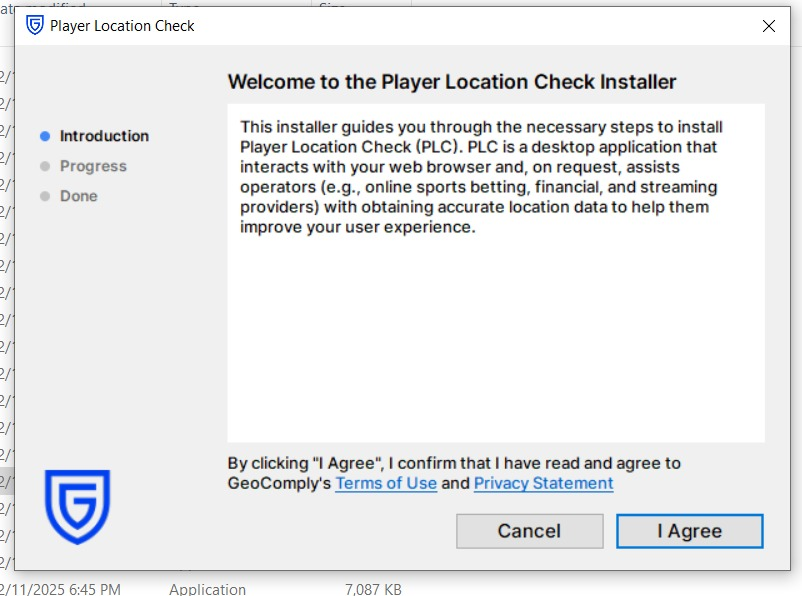
Using PayPal in Palestine is generally possible, only residential vpn ip work
A revealing guide to Reddit’s modern ban system and how to survive it. Learn why most new accounts die fast, how IP reputation and behavior affect your trust score, and the exact steps to build long-lasting Reddit profiles using residential VPNs and proper posting habits.